Remote Employee Time Tracking: Build Trust, Not Surveillance
By Adam James
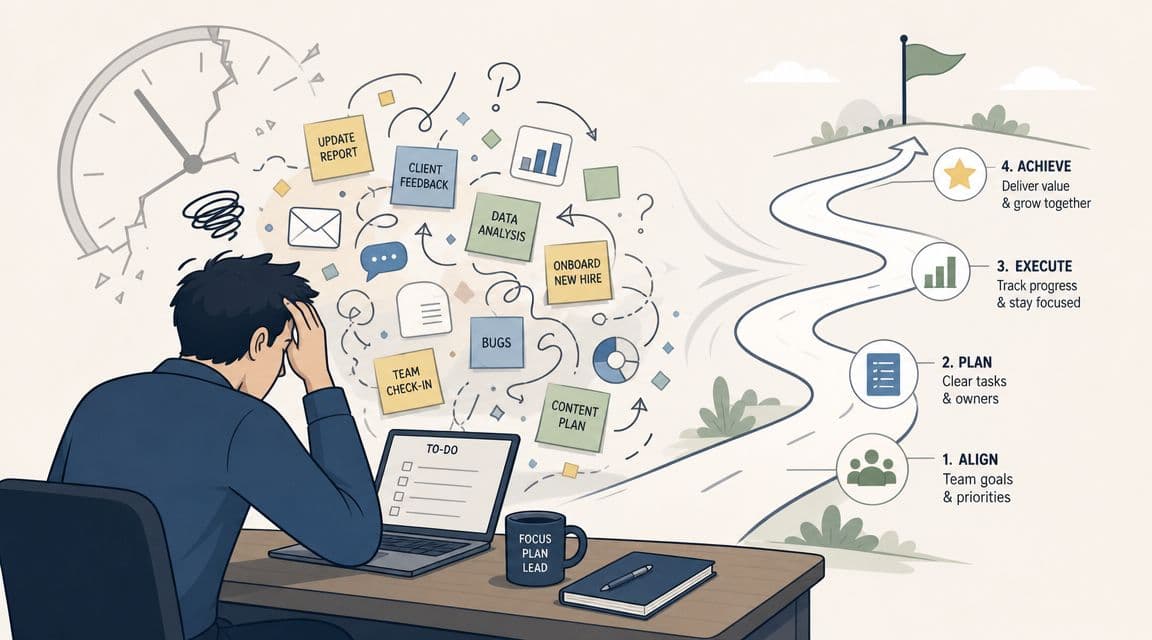
You've probably felt this already. A project is moving, people are active in chat, tickets are changing status, and yet you still can't answer a simple operational question with confidence: are we on track, overloaded, or just busy-looking?
That's where many organizations start thinking about remote employee time tracking. Not because they want screenshots, keystrokes, or a digital guard tower. They want clarity. They want cleaner payroll, saner project estimates, and fewer awkward conversations based on guesswork.
A good system gives managers visibility without stripping autonomy from the people doing the work. A bad system creates noise, resentment, and fake productivity. The difference usually isn't the software. It's the design.
Beyond Clock-Watching in Remote Work
Remote teams shouldn't be focusing on time spent but goals achieved.
In an office, managers pick up context informally. They overhear blockers, see who's deep in work, and notice when someone is stretched too thin. Remote work removes that ambient visibility. Without a replacement, leaders often fall into one of two bad habits: they stop measuring entirely, or they overcorrect with surveillance.
Neither works for knowledge teams.
Remote employee time tracking works best when it answers practical questions:
- Workload balance: Who is consistently over capacity?
- Project forecasting: Which work takes longer than expected?
- Delivery risk: Where are deadlines slipping because estimates were wrong?
- Operational fairness: Are hourly staff logging time consistently and getting paid correctly?
The need is no longer niche. In 2025, 32.6 million Americans were working remotely, and over 73% of employers monitor remote or hybrid workers, according to remote work statistics compiled here. That scale changed time tracking from a back-office task into a core remote operations function.
What modern tracking should do
For distributed teams, the point isn't to count every minute. It's to create a shared operational record.
That means time data should help you:
- See patterns, not police people
- Improve staffing decisions
- Support billing or payroll where needed
- Understand effort in relation to output
Practical rule: If your system can tell you someone moved their mouse but can't tell you whether the project is healthier, you're measuring the wrong thing.
This matters even more in knowledge work, where deep focus, async collaboration, and uneven task complexity make raw activity a weak signal. A developer may spend a morning thinking through architecture and produce one excellent pull request. A designer may spend hours iterating privately before sharing one strong solution. Looking “busy” is not the same as moving work forward.
The trust test
A simple standard helps. If you had to explain your tracking policy to a strong candidate evaluating your team, would it sound fair?
If the answer is no, redesign it.
That's also why many remote professionals look for employers who are explicit about how distributed work operates. You can see how companies frame remote roles and expectations in curated full-time remote job listings.
The strongest systems don't turn managers into watchers. They turn unclear work into visible work.
Defining Your Goals for Time Tracking
Before choosing a tool or writing a policy, decide what business problem you're solving. Most failed rollouts happen because leadership says they want “better visibility,” but never defines what that means.
That vagueness leads to bloated setup, bad reporting, and mistrust. People end up logging time with no clear reason, and managers still can't make better decisions from the data.
Good reasons to track time
Time tracking is useful when the output is operationally meaningful. Common valid goals include:
- Payroll accuracy for hourly roles: Logged hours support clean pay cycles and fewer disputes.
- Client billing: Teams that invoice by project phase or labor category need reliable records.
- Project forecasting: Historical time data improves future estimates.
- Capacity planning: Managers can spot role pressure before burnout turns into missed delivery.
- Process diagnosis: If recurring work always takes longer than planned, the problem may be workflow, not effort.
Those goals produce action. You can change staffing, scope, pricing, timelines, or process design based on what you learn.
Bad reasons to track time
Some goals sound reasonable but usually create more damage than value.
- Proving people are online: Presence is not performance in async teams.
- Watching individual activity all day: This creates compliance theater, not clarity.
- Using time logs as a loyalty test: Good operators care whether work moves, not whether someone performs busyness.
- Replacing management conversations with dashboards: Data should inform judgment, not substitute for it.
Remote workers often work differently from office workers, and that doesn't automatically mean less output. One synthesis found that remote workers save 72 minutes per day by eliminating commutes, and about 40% of that reclaimed time goes back into productive work activities, while output can remain steady even when hours shift, according to this remote productivity summary.
That's why tracking should map effort to outcomes, not treat all logged minutes as equal.
The cleanest time data usually comes from teams that know why they're collecting it and what decisions it should support.
Write your goal statement first
Before rollout, force the leadership team to finish this sentence:
We are tracking time so that we can __________.
If the blank includes words like forecast, bill, pay, allocate, or identify bottlenecks, you're probably on solid ground.
If it includes monitor, verify, inspect, or catch, stop and rethink it.
Match the goal to the role
Not every role should be measured the same way. That's where many systems break.
A practical split looks like this:
- Hourly operational roles: Track start, stop, breaks, and task category.
- Project-based roles: Track time by project, workstream, or client.
- Knowledge workers: Track selectively, often at task or initiative level, then review alongside output quality and delivery.
- Senior leadership or highly strategic roles: Use minimal or no direct time logging unless there's a billing or compliance reason.
A single company can use more than one model. In fact, it usually should.
Use fewer metrics than you think
Organizations often collect too much and use too little. Start with a short list:
- Time by project or work type
- Planned versus actual effort
- Completion against deadline
- Visible blockers or rework
That's enough to improve estimates and spot strain without turning time tracking into a side job.
Navigating Legal Rules and Employee Privacy
If your tracking design ignores privacy, it will eventually damage trust even if it remains technically compliant.
That's the central mistake in many remote employee time tracking setups. Leaders focus on what the software can collect instead of what the company should collect. Those are not the same question.

Start with the legal minimum, then go beyond it
You need clear internal rules around notice, consent where applicable, retention, access, and role-specific use. That matters even more for global teams, where local labor and data protection requirements can differ.
But legal coverage alone won't make a system sustainable. Employees judge a tracking program less by the policy PDF and more by lived experience. If the system feels invasive, people disengage, underreport, or work around it.
A better approach is privacy by design. Guidance on remote tracking often misses this point, even though a more durable model is to use task-based timers and minimal data capture instead of invasive monitoring, as outlined in this privacy-focused discussion of remote team tracking.
What privacy-first tracking looks like
A privacy-preserving setup usually has four traits:
- Limited collection: Capture only what supports payroll, billing, forecasting, or capacity planning.
- Task context: Log time against work categories, projects, or deliverables rather than device behavior.
- Clear boundaries: State what is never collected, such as screenshots or personal-device activity where irrelevant.
- Restricted access: Managers shouldn't browse detailed logs out of curiosity.
This design changes the conversation. Instead of “What are employees doing on their screens?” the question becomes “How is work moving through the system?”
Collect the smallest amount of data that still lets you run the business responsibly.
What to avoid
Some tracking features create more risk than value, especially for knowledge work.
| Tracking practice | Why it backfires | Better alternative |
|---|---|---|
| Screenshot capture | Feels punitive and rarely explains real output | Task-level logging tied to deliverables |
| Keystroke or app obsession | Measures motion, not meaningful progress | Project and workflow trend analysis |
| Always-on individual review | Trains managers to micromanage | Scheduled review of aggregated patterns |
| One policy for every role | Ignores real differences in work design | Role-specific tracking expectations |
For hourly work, more structured logging may be necessary. For product, design, engineering, and other asynchronous roles, invasive collection usually produces junk insight. You get lots of data and very little understanding.
Privacy builds better data
There's also a practical operations reason to stay lightweight. People log more accurately when they don't feel watched.
If employees believe time entries will be used to coach, estimate, and balance work, they tend to provide cleaner context. If they think the system exists to penalize them, they optimize for appearances. That ruins the dataset.
The strongest remote cultures make one thing obvious: time tracking exists to support fair operations, not to convert every laptop into a monitoring device.
Choosing the Right Time Tracking Tool
Tool selection gets too much attention in most buying processes, but category fit still matters. If you choose a system designed for control when your real need is forecasting, the rollout will fail no matter how polished the interface looks.
The easiest way to choose is to match the tool category to the operating model of the team.
Three tool categories that matter
| Tool category | Best for | Key features | Privacy impact |
|---|---|---|---|
| Simple timers and timesheets | Hourly work, straightforward payroll, basic attendance | Start-stop timer, manual entries, approvals, simple reports | Usually lower, if limited to work hours and task labels |
| Project management integrations | Project-based teams, client work, capacity planning | Time by task, project mapping, estimate comparison, delivery context | Moderate and usually appropriate when linked to work objects |
| Monitoring suites | Heavily controlled environments requiring detailed oversight | Activity logs, real-time monitoring, expanded behavioral data | High, often excessive for knowledge work |
That last category is where teams get into trouble. The software may promise certainty, but certainty about the wrong signal isn't useful. Tracking activity at a fine-grained level can make managers feel informed while making employees feel distrusted.
When a simple timer is enough
For some teams, basic is better.
If the core need is attendance confirmation, clean payroll input, or simple labor allocation, a lightweight timer with manual review is usually enough. You want low friction, clear categories, and an approval step. That keeps logging easy and prevents time capture from becoming a second workflow.
This setup is often right for operational support roles, shift-based work, and teams that don't need deep project analytics.
When integrated tracking makes more sense
Knowledge teams usually need context more than strict clocking.
If your team works from a project board, sprint queue, ticketing system, or client plan, time should attach to that structure. The most useful signal is rarely “worked eight hours.” It's “this workstream absorbed much more effort than planned,” or “handoff time is eating delivery capacity.”
That gives operations, finance, and team leads something they can act on.
The best tool is the one that fits the work without forcing people to perform the tracking system all day.
When to be cautious with monitoring-heavy products
There are environments where detailed monitoring is part of the operating requirement. But most distributed knowledge teams are not one of them.
If your company builds software, ships product, runs campaigns, or manages complex internal operations, heavy monitoring often creates three problems:
- Employees game the metrics
- Managers spend time reviewing noise
- The culture shifts from ownership to compliance
That's why I generally recommend starting one category lighter than leadership initially thinks it needs. If later you discover a real operational gap, you can add structure deliberately.
Selection criteria that actually matter
Don't build your evaluation around feature count. Use these filters instead:
- Workflow fit: Can people log time where work already happens?
- Role flexibility: Can different teams use different tracking rules?
- Reporting usefulness: Does the system help with estimates, billing, or staffing?
- Access controls: Can you limit who sees what?
- Data restraint: Can you disable invasive collection and keep the dataset narrow?
If you're comparing broader remote operations systems, RemoteFast is useful as a resource for understanding remote-first work patterns and roles, especially when you're designing tracking norms around distributed hiring and team structure.
A practical decision shortcut
Use this rule if you're stuck:
- Choose simple timers when the business problem is attendance or payroll.
- Choose project-linked tracking when the business problem is delivery, billing, or forecasting.
- Avoid monitoring suites unless you can clearly justify why lower-intrusion options won't solve the need.
Teams generally don't need more surveillance. They need better operational mapping.
Designing a Fair and Effective Time Tracking Policy
A tool without policy creates confusion. Policy without trust creates resistance. You need both.
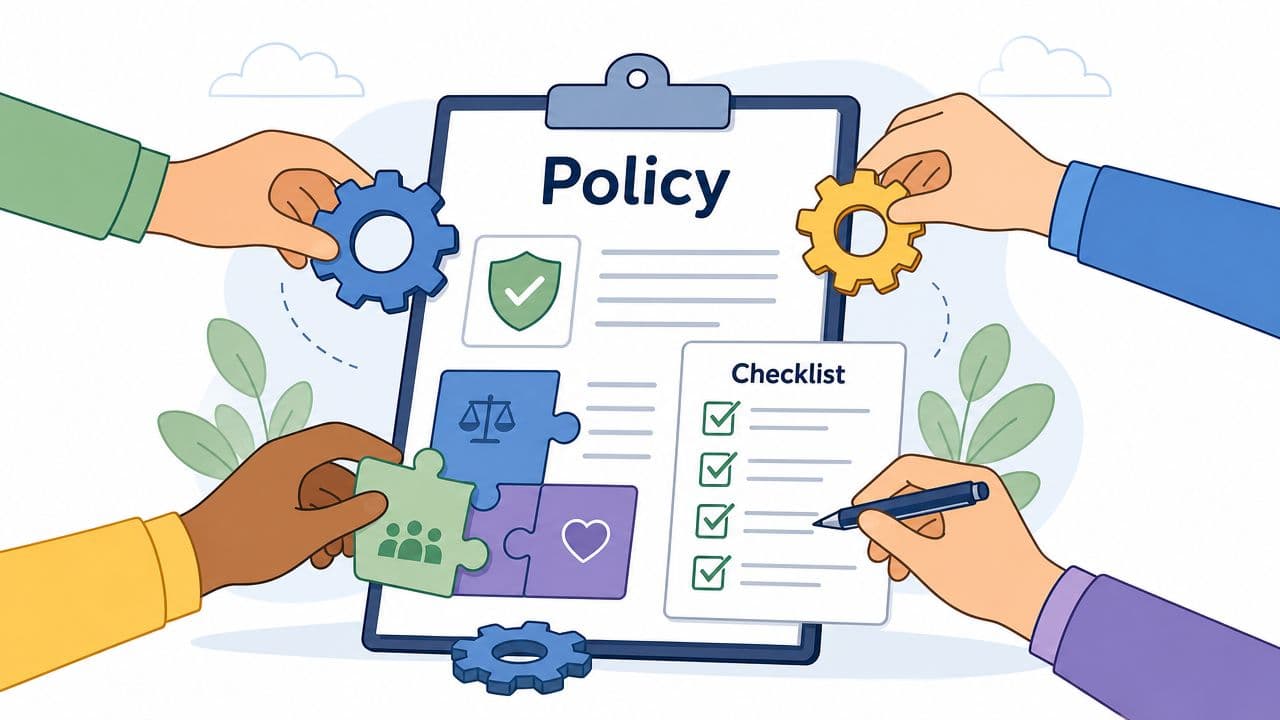
For remote employee time tracking, the policy should be short, plain-language, and specific enough that an employee can read it once and understand exactly what's expected. If the document sounds like it was written to protect management from employees, people will treat it as a threat. If it sounds like a fair operating agreement, adoption goes much more smoothly.
Start with purpose, not procedure
The first paragraph should explain why the policy exists. Keep it concrete.
Examples of legitimate purpose statements include:
- supporting payroll accuracy
- improving project estimates
- allocating staffing fairly
- simplifying billing or internal cost visibility
Skip vague language about maximizing productivity through oversight. People can hear the subtext.
For outcome-based teams, this is even more important. As this guidance on tracking remote employees notes, the key question for AI-heavy and output-driven teams isn't just how to track time, but whether time should be tracked at all, with the best systems defining what “done” means and reviewing time data alongside work outputs.
Define scope with precision
Your policy should answer these questions directly:
- Who must track time?
- Which roles are exempt or use lighter requirements?
- What must be logged?
- When must entries be submitted?
- What devices or work contexts are in scope?
Fairness becomes apparent. If engineers, designers, support staff, and contractors all do different kinds of work, don't force them into one logging model. Write role-based rules.
A good policy also states what is not tracked. That matters as much as what is.
Manager check: If your policy explains obligations but not limits, it's incomplete.
Explain how the data will be used
This section determines whether people see the system as operationally useful or politically dangerous.
Be explicit. State whether time data will be used for:
- payroll processing
- client invoicing
- workload review
- estimating future projects
- identifying bottlenecks
- coaching conversations
Also state what it won't be used for. For example, avoid using time logs as a standalone basis for performance judgments in knowledge work.
That last point matters because a clean eight-hour log can still reflect low-value work, and a fragmented day can still produce a major outcome. Time is context, not verdict.
Build for asynchronous knowledge work
A lot of policy templates assume everyone works in a visible, continuous, clock-in environment. That's wrong for many remote teams.
For async work, the policy should recognize:
- deep work blocks without visible activity
- uneven distribution of effort across a week
- collaboration that happens across time zones
- AI-assisted workflows where time spent and value created may diverge
In these teams, “done” must be defined by output standards. Time data then becomes a secondary signal that helps with planning, resourcing, and pattern recognition.
Include employee access and review rights
People should be able to see their own records easily. They should know how to correct errors, add context, and raise concerns.
That does two things. It improves the quality of the data, and it signals that the system isn't a one-way observation tool.
A practical policy checklist looks like this:
- Purpose statement tied to business use
- Role coverage with exceptions where appropriate
- Required data and explicit non-collection boundaries
- Submission rules for logging and approvals
- Data use rules for managers and operations teams
- Access rights for employees
- Review cadence for policy updates
The best policies feel operational, not suspicious. That's the standard to aim for.
Rollout, Onboarding, and Continuous Improvement
A strong policy can still fail if rollout is clumsy. The launch should feel like an operating change, not a surprise inspection.
Start with a pilot. Pick one team or one workflow where the business purpose is easy to explain, such as project estimation or hourly payroll. Run it briefly, gather friction points, then adjust the categories, instructions, and reports before going wider.
How to introduce the system
The first announcement should answer three employee questions immediately:
- Why are we doing this?
- What exactly will be tracked?
- How will the data be used and not used?
If those answers are vague, people will fill the gaps with worst-case assumptions.
A good onboarding session includes a live walkthrough, examples of acceptable entries, role-specific expectations, and a clear correction process. Keep the tone practical. This is a working system, not a loyalty test.
Transparency has a measurable effect on adoption. 77% of employees accept monitoring when employers are transparent and provide access to their own data, according to this guidance on measuring remote productivity.
What to review after launch
Don't judge success by whether people are logging more data. Judge it by whether operations are getting clearer.
Look for signs like:
- fewer payroll corrections
- better project estimates
- earlier detection of overloaded teams
- cleaner conversations about scope and staffing
- reduced confusion about what counts as completed work
Review the system like any other operating process. If the data isn't helping decisions, simplify the model instead of demanding more compliance.
Keep improving the system
Remote employee time tracking should get lighter and more useful over time.
That usually means removing categories nobody uses, tightening manager access, rewriting confusing policy language, and adapting rules as roles evolve. A team doing routine support work today may shift toward more project-based delivery later. The system should move with the work.
If you want more practical guidance on distributed work systems, hiring patterns, and remote operations, the RemoteFast blog is a useful reference point.
A good rollout ends with a stable habit. A great rollout ends with a system people barely notice because it fits the work and produces insight without creating fear.
Remote teams work best when expectations are clear, policies are fair, and systems respect how distributed work happens. If you're building a remote career or hiring into one, RemoteFast helps you find high-quality remote opportunities and practical guidance without the usual noise.